Electronic signature · Montréal, Québec

Electronic signatures, made in Québec.

Send leases, quotes and contracts for signature in French or English. Your clients sign on any phone. You receive a sealed PDF with a certificate of completion that records the evidence Québec law asks for.

Free for 3 envelopes a month · Paid plans from CA$9 · No card required

Certificate of completion of a sample envelope
Legal basis
CQLR, c. C-1.1 · CCQ art. 2827
Integrity
SHA-256 and PKCS#7 seal
Signing pages
French or English
Signers need
No account, no app
Price
From CA$0, billed in CAD
Process

From PDF to signed copy

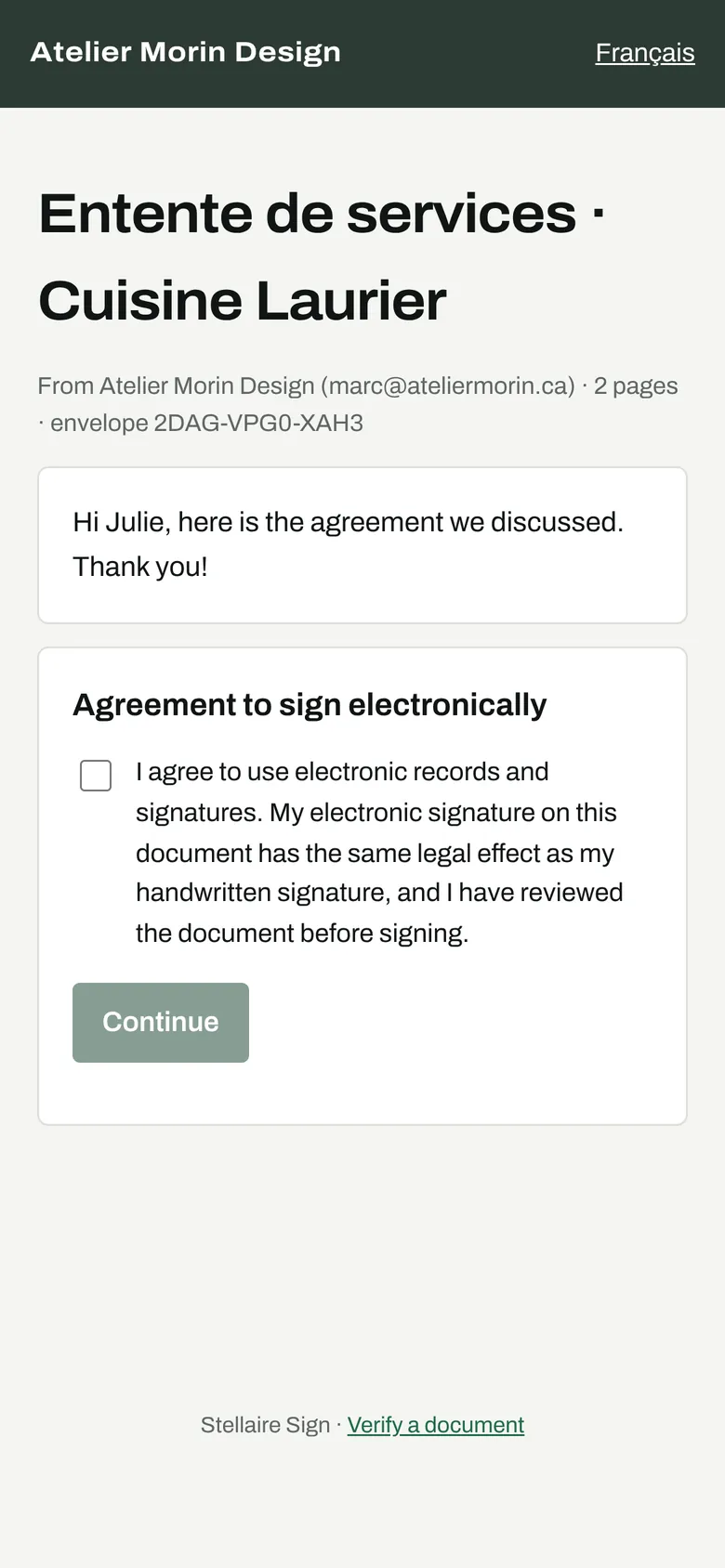
Nothing to install for anyone. You prepare the document in your browser; each signer gets a personal link that works on any phone, tablet or computer.

1

Prepare

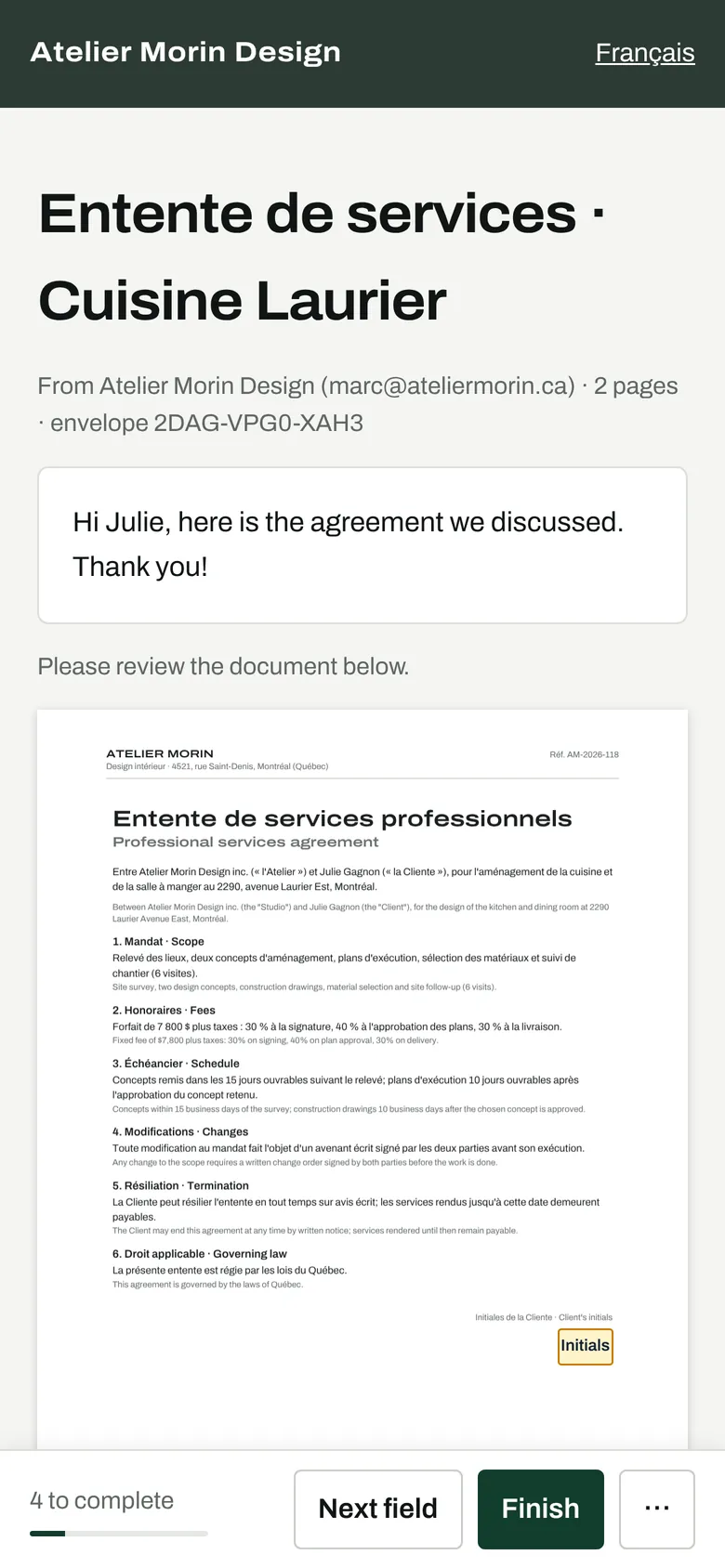
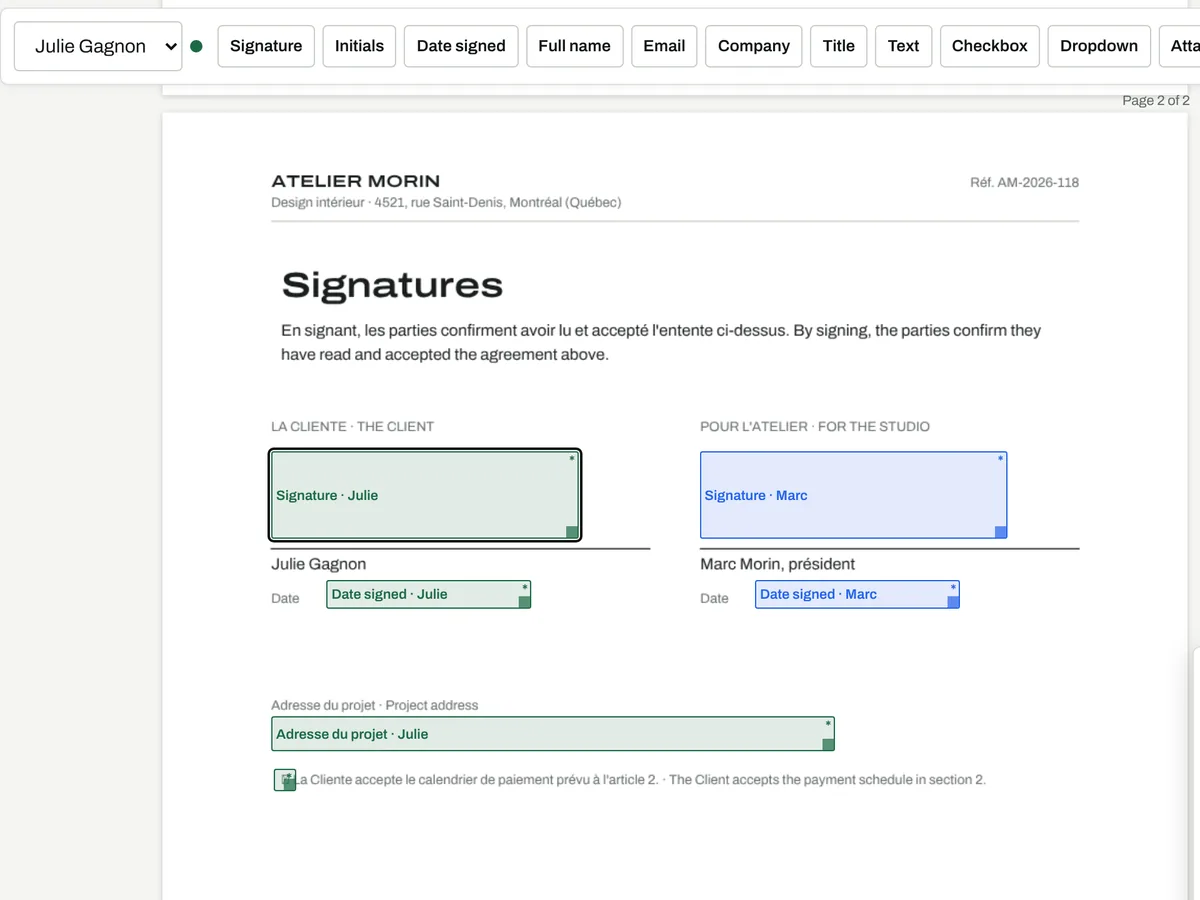
Upload a PDF, or several PDFs and photos that become one document. Add the people who sign, approve or get a copy, then click where each one signs, initials or fills in.

The field editor with Julie's signature field selected
2

Sign

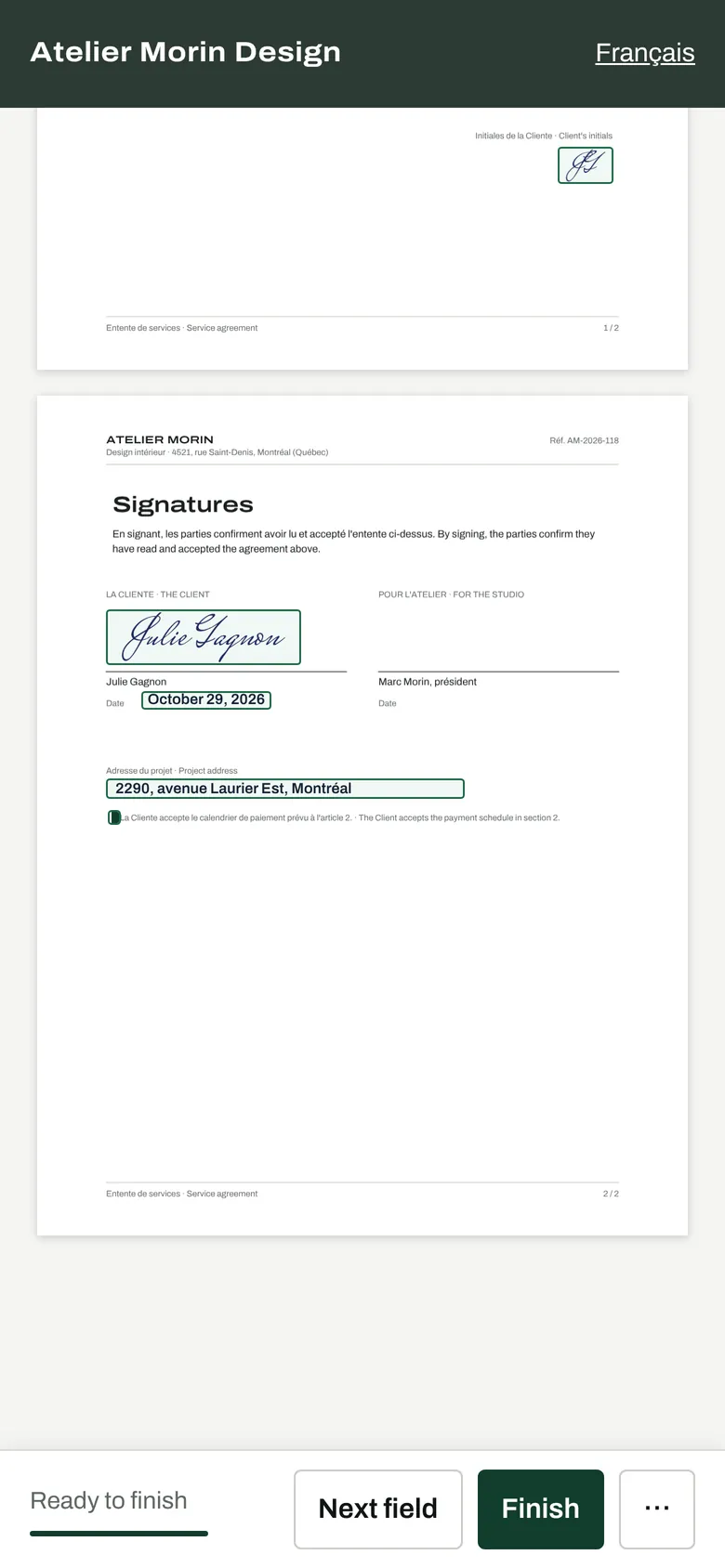
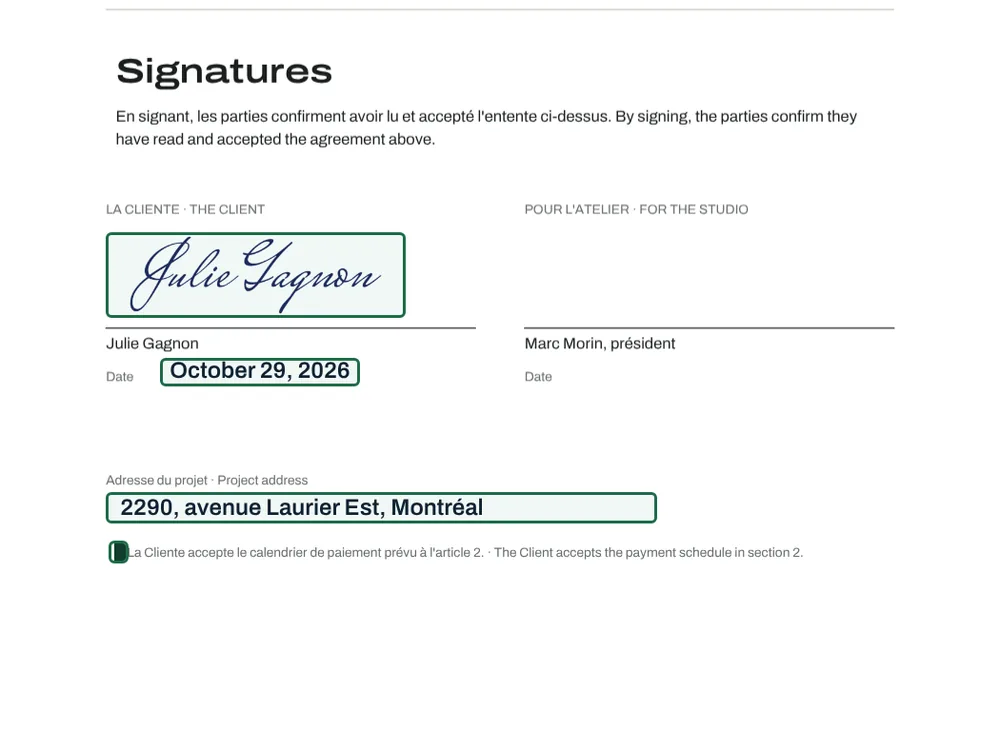
Each person reads the document, agrees to sign electronically, fills their fields and adopts a signature by drawing, typing or uploading it. Next-field guidance makes sure nothing is missed.

Fields completed on a phone
3

Keep the proof

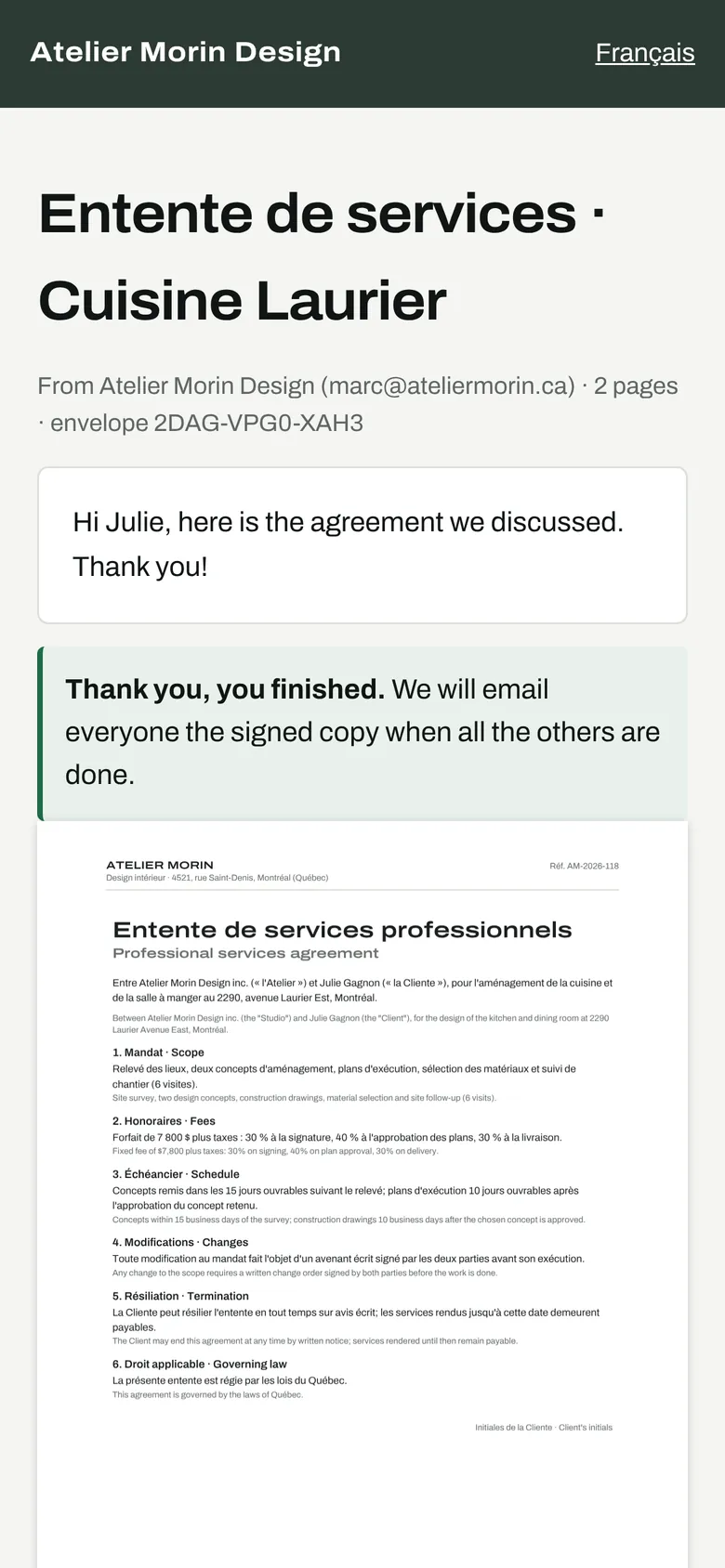
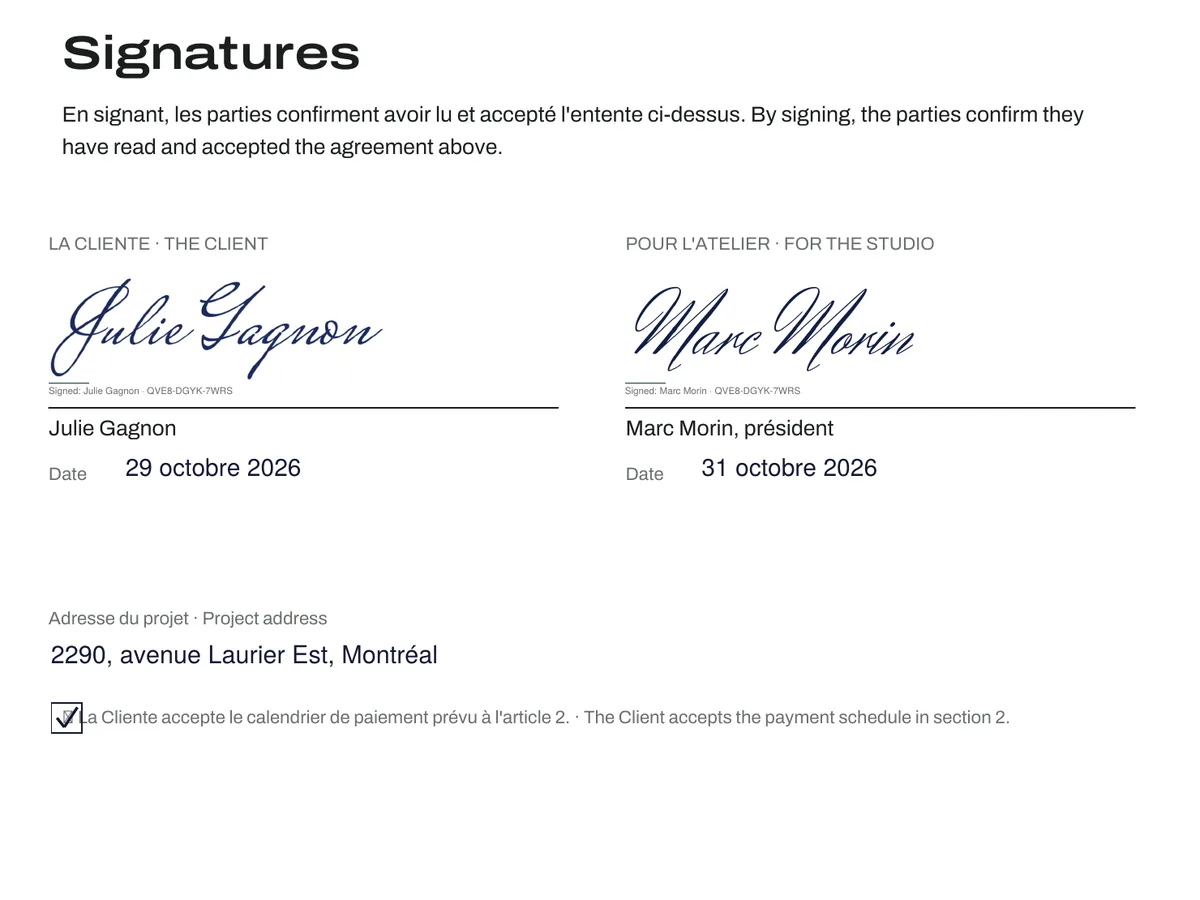
When the last person signs, everyone receives the final PDF: signatures in place, a certificate of completion, the full audit trail and a digital seal.

The signed page of the final PDF
Evidence

What the certificate records

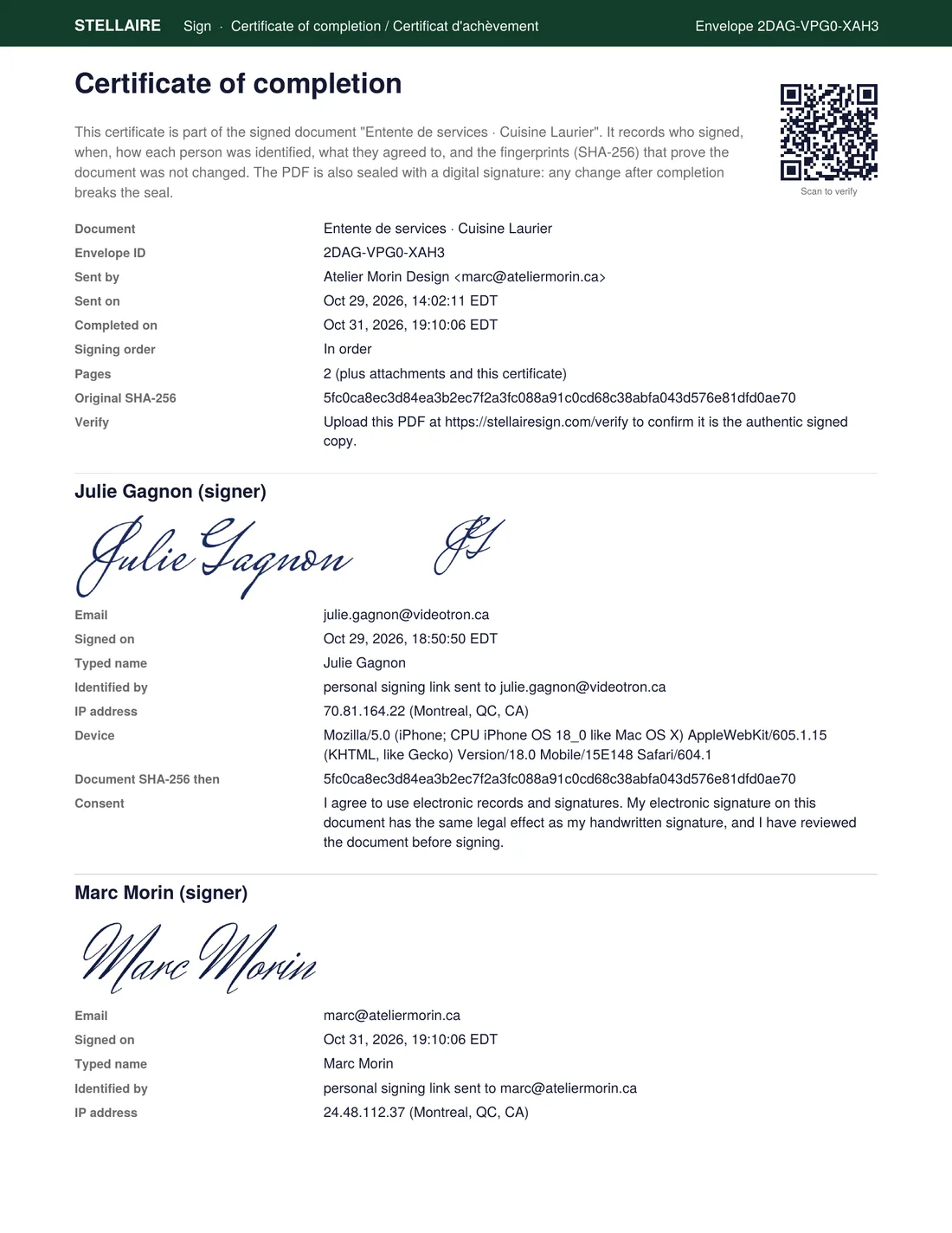
A certificate of completion is added inside every signed PDF. For each person it records identity, consent and integrity: the three questions a court asks about an electronic signature.

Certificate of completion from the sample envelope shown above.
Fig. 2Certificate of completion from the sample envelope shown above.
  1. Envelope and original fingerprintA unique envelope number and the SHA-256 fingerprint of the document exactly as it was sent.
  2. The signature as adoptedDrawn, typed or uploaded by the signer, placed where you asked.
  3. When, and how the signer was identifiedTime in Montréal to the second, and the method: personal link, plus email code or access code when you require them.
  4. IP address and deviceWhere the signature came from, as reported by the signer's browser and network.
  5. Fingerprint at the moment of signingProves that what this person signed is identical to what was sent.
  6. The consent they gaveThe exact sentence the signer agreed to, in the language they signed in.

The final PDF is also sealed with a PKCS#7 digital signature. PDF readers list the seal in their signature panel and report any change made after it was applied, and our verification page recognizes only the exact sealed file.

Built in

Three things we do differently

Each one exists because of how contracts are actually signed in Québec. Nothing to configure: they are part of every plan.

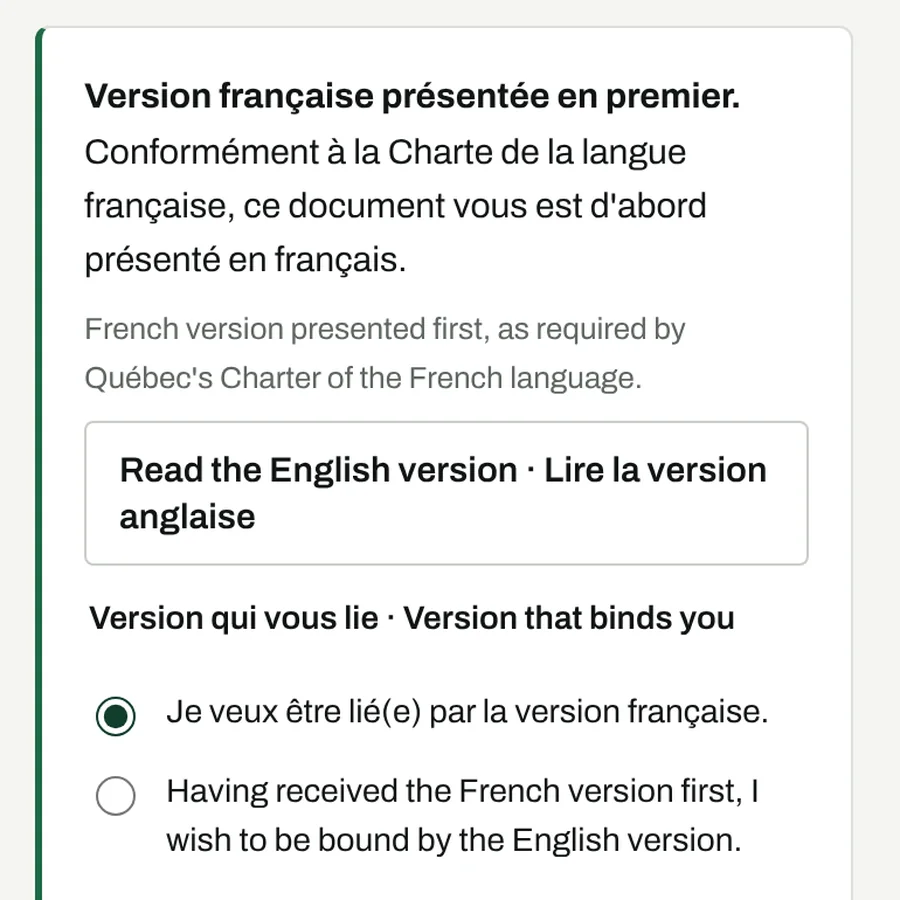
The French-first notice and language choice on the signing page

French first

For contracts with Québec clients, each signer sees the French version first, can then open the English one, and chooses which version binds them. The certificate records every step and cites the Charter of the French language. If your PDF looks English only, we warn you before you send.

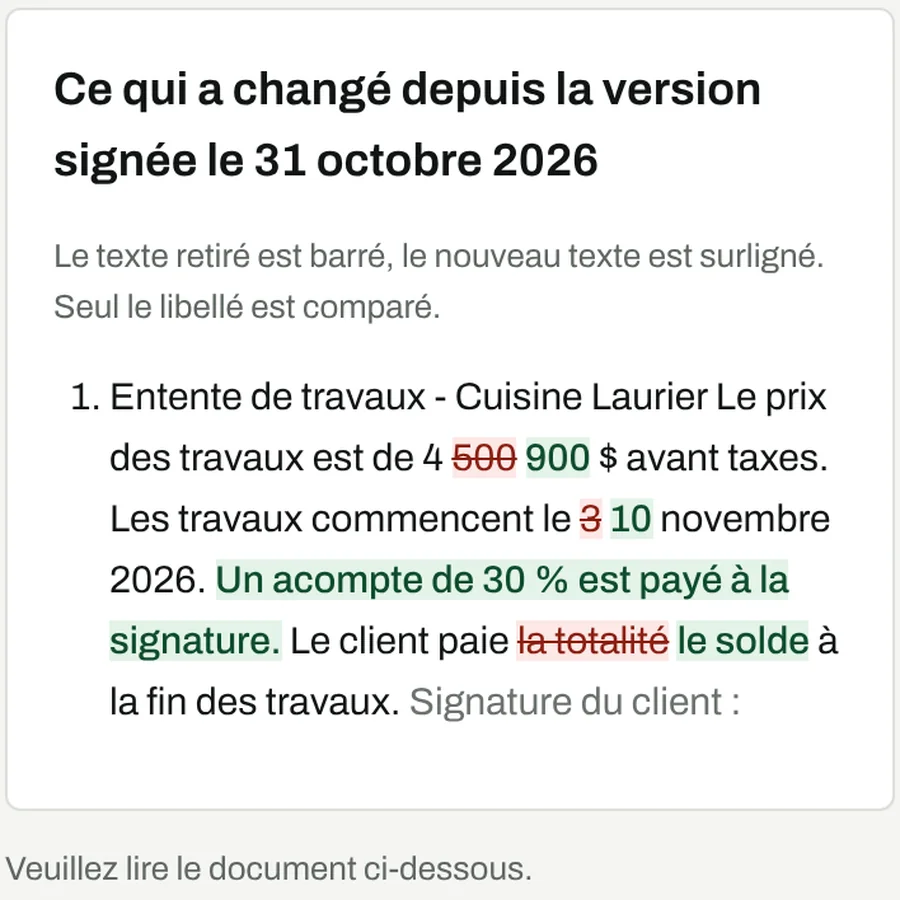
Changes since the signed version, shown to the signer

What changed

Send a revised quote, a change order or a lease renewal, and anyone who signed the earlier version sees exactly what changed, word by word, before signing again. The two envelopes are linked on the certificate.

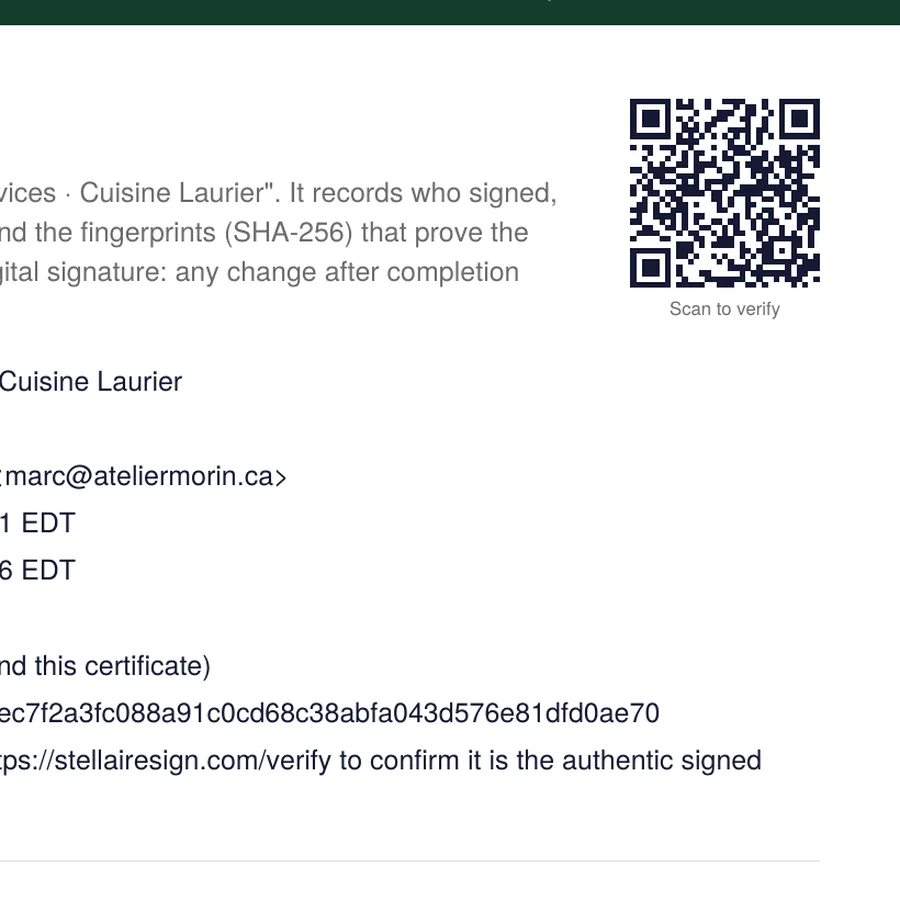
QR code on the certificate of completion

Proof that outlives us

Every signed PDF carries a QR code to its record and is timestamped by DigiCert, an independent authority (RFC 3161). The seal and the timestamp receipt can be checked with standard tools, without us.

Sample

Sign a sample and keep the PDF

Type your name, sign below and download the exact file your clients would receive: your signature in place, a certificate of completion and a digital seal. It has no legal effect, and nothing is emailed.

STELLAIRE SIGNSample · no legal effect

Demonstration acknowledgement

I confirm that I signed this document on the Stellaire Sign demonstration page.

This PDF shows exactly what signers receive: the signature placed where it was requested, a certificate of completion on the next page, and a digital seal that reveals any change made after signing.

Signature (draw with your finger or mouse)
Date
Your PDF will appear here
  1. Page 1: this sample with your signature and today's date
  2. Page 2: the certificate of completion
  3. A PKCS#7 digital seal on the whole file
Workspace

For the documents you send every week

Templates, roles and signing order, reminders and expiry, team accounts and an API. Set up in an afternoon.

stellairesign.com/admin
An envelope after completion, as the sender sees it.
Fig. 3An envelope after completion, as the sender sees it.
11 field types
Signature, initials, date signed, name, email, company, title, text, checkbox, dropdown and file attachment.
Roles and order
Signers, approvers and people who only receive a copy. In a set order or all at once.
Identity checks
A personal link per person, plus an email code or an access code you give by phone.
Templates and bulk send
Save the documents you send often; send one template to a list, each person in their own envelope.
Reminders and expiry
Automatic reminders every few days, an expiry date, corrections and resends without starting over.
Team, brand and API
Several users, your logo and colours on the signing page, webhooks and a REST API.
Law

The legal framework

Québec recognizes electronic documents and signatures. A document whose integrity is ensured has the same legal value on paper or in electronic form (CQLR, c. C-1.1, s. 5), and a signature can link a person to a technology-based document when that link was established at the time of signing (s. 39). The Civil Code defines a signature as the mark a person uses to show consent (art. 2827).

Stellaire Sign records the three things that matter: who signed and how they were identified, that they consented, and that the document did not change.

Outside Québec, each province has its own electronic commerce act, most of them based on the Uniform Electronic Commerce Act; Ontario's Electronic Commerce Act, 2000 is one example.

A few acts still have their own formal requirements, for example notarial deeds and wills. When a specific document is in doubt, ask a lawyer or a notary.

Read the full guide →
Security

Security settings

The settings the service runs with today.

Signing links192-bit random token per person, revocable at any time
Optional checks6-digit email code (10 minutes, 5 tries) or an access code you choose
IntegritySHA-256 of the original, at every signature and of the final PDF
SealPKCS#7 detached signature, RSA 2048, SHA-256
PasswordsPBKDF2-SHA256, 210,000 iterations, unique salt
Sessions256-bit tokens, expire after 14 days
TimestampFinal PDF timestamped by DigiCert (RFC 3161); the receipt can be checked without us
StoragePrivate object storage; documents never have public URLs
TransportHTTPS only, HSTS, and a Content Security Policy that only runs scripts from our own domain
TrackingNone. Fonts and libraries are self-hosted; no analytics or advertising scripts
HostingNetlify, United States (see the privacy policy)
Pricing

Priced in Canadian dollars

Start free. Pay when you send more than three envelopes a month or need a team.

FreeTo try it out$0 foreverStart freeSoloOne person$9 per monthChoose SoloProTeams$19 per user, per monthChoose ProBusinessIntegrations$35 per user, per monthChoose Business
Envelopes per month, per account35001,0005,000
Users11Per seatPer seat
Templates1UnlimitedUnlimitedUnlimited
All field types, roles, signing orderYesYesYesYes
Sealed PDF, certificate, audit trailYesYesYesYes
Email and access codesYesYesYesYes
Reminders and expiryYesYesYesYes
Your logo and coloursNot includedYesYesYes
Team membersNot includedNot includedYesYes
Bulk sendNot includedNot includedYesYes
Public signing linksNot includedNot includedYesYes
API and webhooksNot includedNot includedNot includedYes
FreeTo try it out
$0forever
  • Envelopes per month, per account 3
  • Users 1
  • Templates 1
  • All field types, roles, signing order
  • Sealed PDF, certificate, audit trail
  • Email and access codes
  • Reminders and expiry
Start free
SoloOne person
$9per month
  • Everything in Free, plus:
  • Envelopes per month, per account 500
  • Users 1
  • Templates Unlimited
  • Your logo and colours
Choose Solo
ProTeams
$19per user, per month
  • Everything in Solo, plus:
  • Envelopes per month, per account 1,000
  • Users Per seat
  • Templates Unlimited
  • Team members
  • Bulk send
  • Public signing links
Choose Pro
BusinessIntegrations
$35per user, per month
  • Everything in Pro, plus:
  • Envelopes per month, per account 5,000
  • Users Per seat
  • Templates Unlimited
  • API and webhooks
Choose Business

Pay per document

10 envelopes for CA$15, no subscription. They are used only when your monthly envelopes run out, and they never expire.

Try Pro for 3 days

Free, no card. Up to 10 envelopes with your logo and colours. Team members, bulk send and public links need a paid plan.

Website by Stellaire Web?

Our website clients can get Solo included. Ask us when we build your site.

Prices in Canadian dollars, taxes extra where they apply. Envelope allowances are per account and shared by its users. Cancel any time; your plan runs to the end of the period you paid for.

Comparison

Compared with DocuSign

Stellaire SignDocuSign eSignature
Free plan3 envelopes every monthFree trial
One userCA$7.20 a month billed yearly (CA$9 monthly), 500 envelopesUS$11 a month billed yearly (Personal), 5 envelopes
Per user, teamsCA$15.20 to CA$28 a month billed yearlyUS$30 to US$45 a month billed yearly
CurrencyCanadian dollarsUS dollars
HeadquartersMontréalSan Francisco

DocuSign prices from docusign.com/products-and-pricing, October 2026. Prices change; check their page. DocuSign alternative in Canada →

Questions

Common questions

Do my clients need an account or an app?

No. They open their personal link from an email or a text message and sign in the browser on any phone, tablet or computer.

Is an electronic signature legally valid in Québec?

Yes, when the signer is identified, consents, and the document keeps its integrity. A few acts, such as notarial deeds and wills, have their own formal requirements.

Can someone change the document after it is signed?

Not without it showing. The final PDF carries SHA-256 fingerprints and a digital seal, and our verification page only recognizes the exact signed file.

Can people sign in French?

Yes. Each person signs in French or English, and the certificate records the consent in the language they used.

Does it help with Bill 96 (the Charter of the French language)?

Yes. Turn on French first: each signer sees the French version first, can open the English version, and chooses which one binds them, and the certificate records it. Whether a given contract must be in French depends on your situation; we give you the tool and the record.

What happens to my signed documents if Stellaire Sign shuts down?

They stay valid and checkable. The seal can be checked in any PDF reader, and each signed PDF is timestamped by DigiCert, an independent authority, with a receipt anyone can verify using standard tools.

Where are documents stored?

In private storage on Netlify's infrastructure in the United States. Documents have no public URLs and are reachable only through your account and the signers' personal links.

Can I install it on my phone or computer?

Yes. Open Stellaire Sign in Safari or Chrome and choose Add to Home Screen, or Install on a computer. Store versions for iPhone and Android are in preparation.

Can I cancel?

Any time, from Billing. The plan stays active until the end of the period you paid for.

Send your first document today

Free for three envelopes a month. No card required.